Goodbye Gatsby, Hello Astro (Copilot did it)
After a few years of Gatsby being a complete overkill for a personal blog, I finally pulled the trigger and converted to Astro. And I did it entirely through GitHub Copilot. Here's how it went.
A while back I wrote about switching from Jekyll to Gatsby. That went… ok. Gatsby was fun for about the first year, mostly because I was learning React and React Native at the same time, and the two complemented each other nicely. But over time Gatsby became a bit of a burden — plugin compatibility issues, the GraphQL requirement for everything, and a build process that got slower and heavier as the ecosystem evolved.
My personal site is, at its core, a bunch of markdown files, a few React components, and some static data. It doesn’t need GraphQL. It doesn’t need a plugin for every little thing. It just needs to be simple.
So, I finally converted to Astro.
Why Astro?
Short answer: simplicity.
Longer answer: Astro’s content collections are exactly what I needed. Markdown in, HTML out. You can sprinkle in React (or any other framework) wherever you actually need interactivity, instead of being forced into it everywhere. There’s no GraphQL data layer sitting between you and your markdown files. And the build output is just… static HTML. That’s it. Exactly what you want for GitHub Pages.
The other thing that nudged me towards Astro was that I had been playing around with it for Jimbo’s NFL Pool (well, that was Eleventy, but same general idea) — lightweight, file-based, no unnecessary abstraction.
The Plan
The idea was simple: use GitHub Copilot as the primary driver for the conversion. Not as a code completion tool, but as an actual agent doing the work. I’d open issues, assign them to Copilot, and review the PRs. Like a remote developer, except it works at 2am and doesn’t judge my issue writing style.
Full disclaimer: I’m aware of the irony of using AI to build a site that then publishes an article about using AI to build the site. I’m fine with it.
The Migration (PR #54)
The first PR was the big one. Start from scratch: rip out everything Gatsby, build up a new Astro project. 119 files changed. 10,239 additions, 50,613 deletions. That ratio is a pretty good summary of why I wanted to leave Gatsby behind.
The content collections setup was clean. Astro makes it straightforward to define schemas for your different content types:
const writing = defineCollection({
  type: 'content',
  schema: ({ image }) =>
    z.object({
      title: z.string(),
      description: z.string().optional(),
      date: z.coerce.date(),
      tags: z.array(z.string()).optional().default([]),
      draft: z.boolean().optional().default(false),
      slug: z.string().optional(),
      featureImage: image().optional(),
    }),
});
The existing Gatsby markdown files (27 articles going back to 2015) all migrated cleanly. No changes required to frontmatter, which was a nice surprise. The image handling with image() from the schema even gave me optimized images for free.
The layout and component structure was built from the ground up with Tailwind CSS and a light/dark theme system. I didn’t ask for anything specific here — I gave Copilot the page list and a rough idea of what I wanted, and it ran with it.
Deployment: Three Attempts Required
This is where things got less smooth.
After the initial migration merged, the site was just… blank. kenjdavidson.com wasn’t loading. The gh-pages branch had content but nothing was rendering.
Attempt 1 (PR #56): Copilot correctly diagnosed the issue — the workflow was using peaceiris/actions-gh-pages to push to the gh-pages branch, but GitHub Pages was configured to deploy from GitHub Actions mode, not from a branch. Solution: switch to the official actions/deploy-pages@v4 pipeline.
jobs:
  build:
    steps:
      - uses: actions/configure-pages@v5
      - run: npm ci && npm run build
      - uses: actions/upload-pages-artifact@v3
        with:
          path: ./dist
  deploy:
    needs: build
    environment:
      name: github-pages
      url: ${{ steps.deployment.outputs.page_url }}
    steps:
      - uses: actions/deploy-pages@v4
That failed too.
Attempt 2 (PR #58): Now the deployment error was:
Failed to create deployment (status: 400)
Deployments are only allowed from gh-pages
So GitHub Pages was actually configured to deploy from the gh-pages branch, not from GitHub Actions. Back to peaceiris/actions-gh-pages. This time it worked.
Two PRs, two complete opposite strategies, both of which were “correct” depending on how your GitHub Pages settings are configured. If there’s a lesson here, it’s to check your repository settings before diagnosing the deployment.
Also bundled in this PR: cache-control headers to prevent visitors from getting a blank screen when stale HTML referenced old hashed asset filenames. That one bit me personally a few times during testing.
Cleaning Up Gatsby’s Mess (PR #82)
Even after the site was working, there was one more Gatsby ghost haunting visitors: service workers.
Gatsby registers service workers for offline support and caching. Great feature when you’re using Gatsby. A complete headache when you’ve moved on and the old service worker is still intercepting requests and serving cached Gatsby pages to anyone who had visited the site before.
The fix was a small inline script that runs on every page load and unregisters any lingering service workers:
<script>
  if ('serviceWorker' in navigator) {
    navigator.serviceWorker.getRegistrations().then(regs => {
      regs.forEach(reg => reg.unregister());
    });
  }
</script>
Simple, but something I would have forgotten about entirely if I hadn’t started seeing weird behavior in the browser.
The Good Stuff
Once the plumbing was working, things started coming together quickly.
Light/Dark/Device Theme Toggle (PR #68)
Pretty standard these days, but still nice to have done right. Three options: light, dark, and “device” (follow the OS preference). The implementation uses a Tailwind dark: variant with a class="dark" toggle on <html>, persisted to localStorage. Clean and works without a flash of unstyled content.
Card Grid for Writing (PR #84)
The previous writing list was just that — a list. The updated version is a responsive two-column card grid. Much easier to scan. Feature images were already part of the content schema, so they started showing up automatically once the cards were in place.
Prev/Next Article Navigation (PR #74)
Small quality-of-life addition. Sorted articles by date, and at the bottom of each post you get links to the previous and next article. Nothing fancy, but the kind of thing that makes a site feel finished.
The Footer (PR #96)
This one took a few rounds of back-and-forth, which I think is a pretty honest reflection of how design-by-conversation works.
The initial request was clear enough: two rows, top row with three columns (site links, recent content, bitmoji + social icons). The first implementation put the bitmoji and social icons side by side with the icons horizontal. I asked to make the icons vertical — so the bitmoji is saying hi and the social icons run down the side. Better.
Then the column wasn’t right-justified. Another round. A one-line Tailwind change (sm:justify-start → sm:justify-end) fixed it.
Three rounds of feedback, but the end result is clean:
- Site links on the left
- Recent writing + projects in the middle
- Bitmoji + stacked social icons flush right
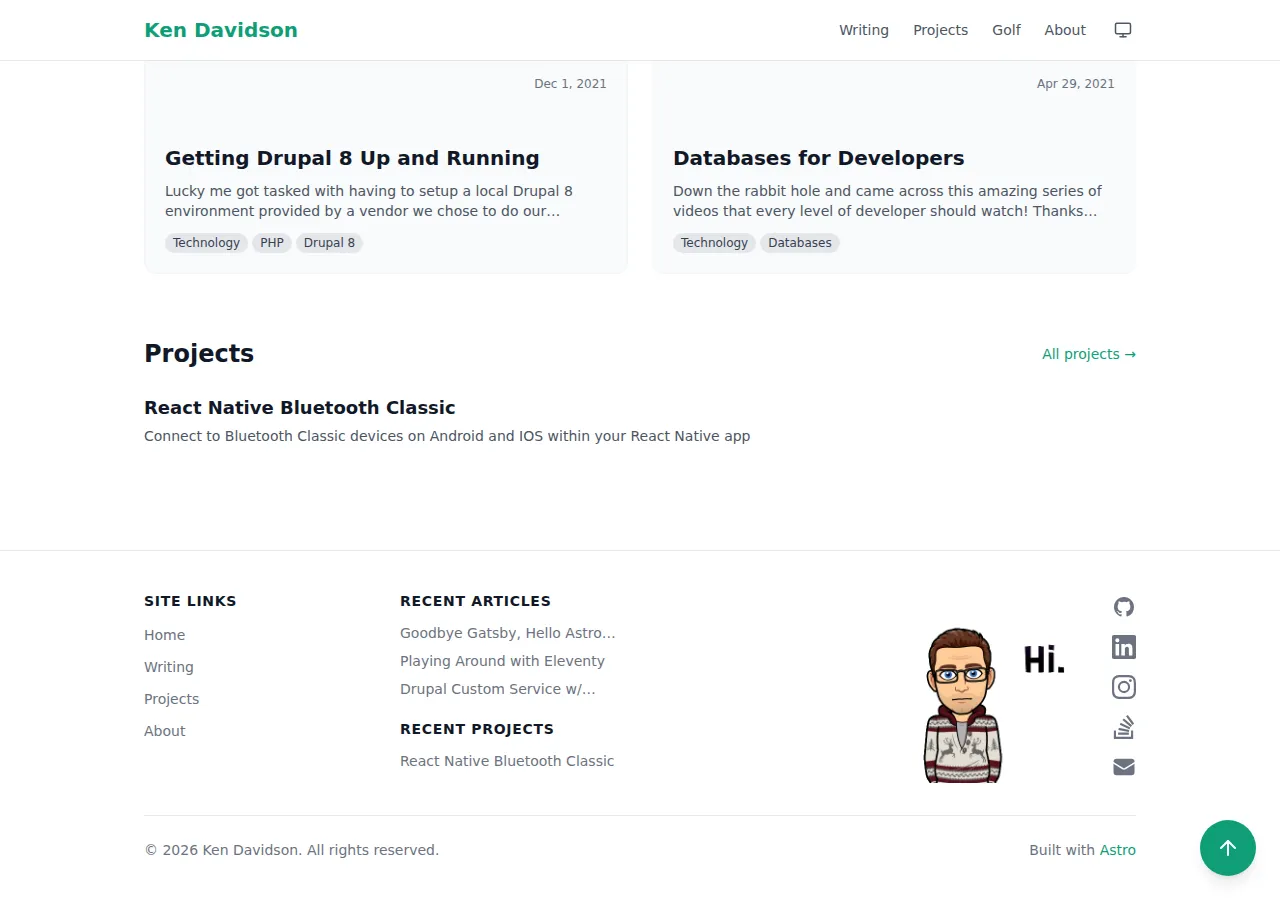
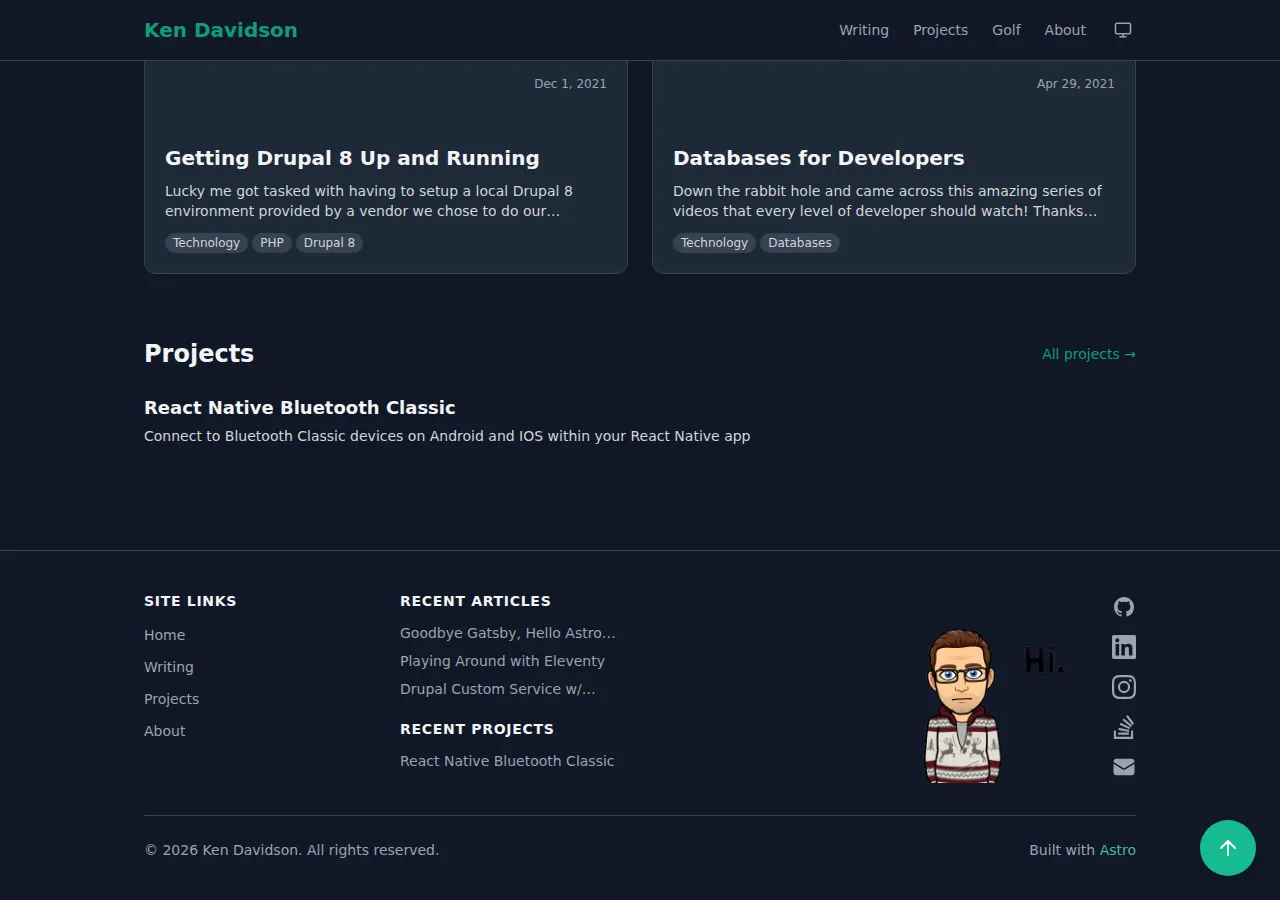
The footer also prompted the extraction of a getProjectUrl(entry) utility (mirroring the existing getPostUrl) to clean up the duplicated slug logic.
The FAB (PR #98)
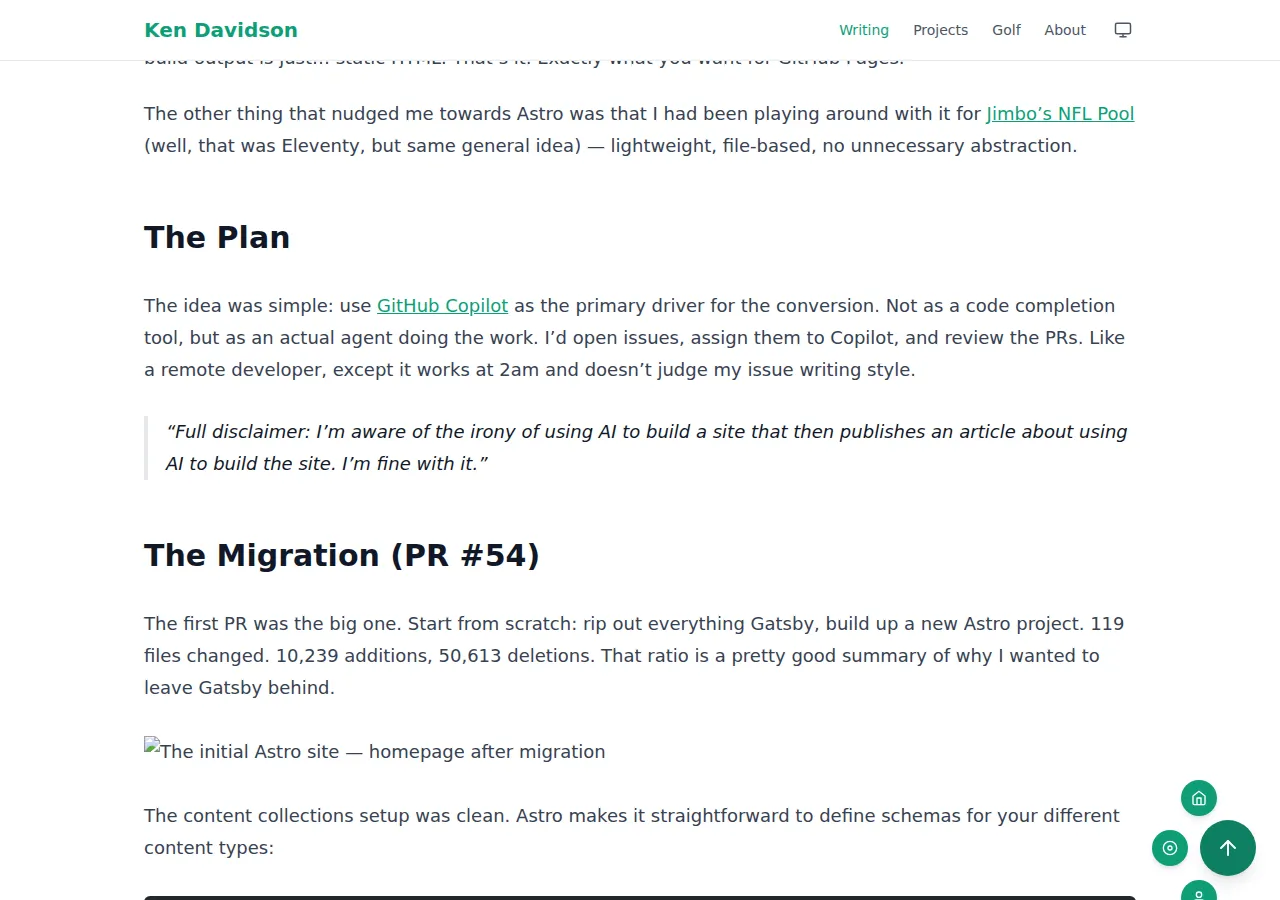
The floating action button was one of the more interesting implementation challenges. The requirements were: a scroll-to-top button that appears once you’ve scrolled down, with the ability to expand into sub-buttons arranged at clock positions around the main button.
The implementation uses a React component with configurable sub-actions, placed at positions 1, 3, 5, 7, 9, and 11 (or any subset). The math for positioning uses basic trigonometry — each clock position maps to an angle, and the sub-button offset is computed from that angle and an orbit radius:
const CLOCK_POSITIONS: Record<ClockPosition, number> = {
  1: -60, 3: 0, 5: 60, 7: 120, 9: 180, 11: 240,
};

const angleRad = (CLOCK_POSITIONS[pos] * Math.PI) / 180;
const x = Math.round(ORBIT_RADIUS * Math.cos(angleRad));
const y = Math.round(ORBIT_RADIUS * Math.sin(angleRad));
A hover delay (100ms) means you can actually move your cursor to the sub-buttons without them collapsing immediately, which is a subtle UX detail that makes the whole thing usable.
One thing I had to remind Copilot about: screenshots. The initial PR description had no before/after. After a nudge it added them, then I asked for the orbit radius to be smaller (72px → 58px) so the sub-buttons sat closer to the main button. Iterating on pixel values through PR comments is a strange but functional workflow.
The Golf Page (PRs #99, #101, #103)
This was one of the features I had wanted in Gatsby and never got around to properly implementing. The Golf Canada integration authenticates at build time using credentials stored as GitHub Secrets, fetches the member snapshot (handicap index, recent scores, season stats), and bakes it all into the static HTML.
export async function getGolfCanadaProfile(): Promise<GolfProfile | null> {
  const username = import.meta.env.GOLFCANADA_USERNAME;
  const password = import.meta.env.GOLFCANADA_PASSWORD;

  if (!username || !password) return null;

  // authenticate, fetch snapshot, return typed profile object
}
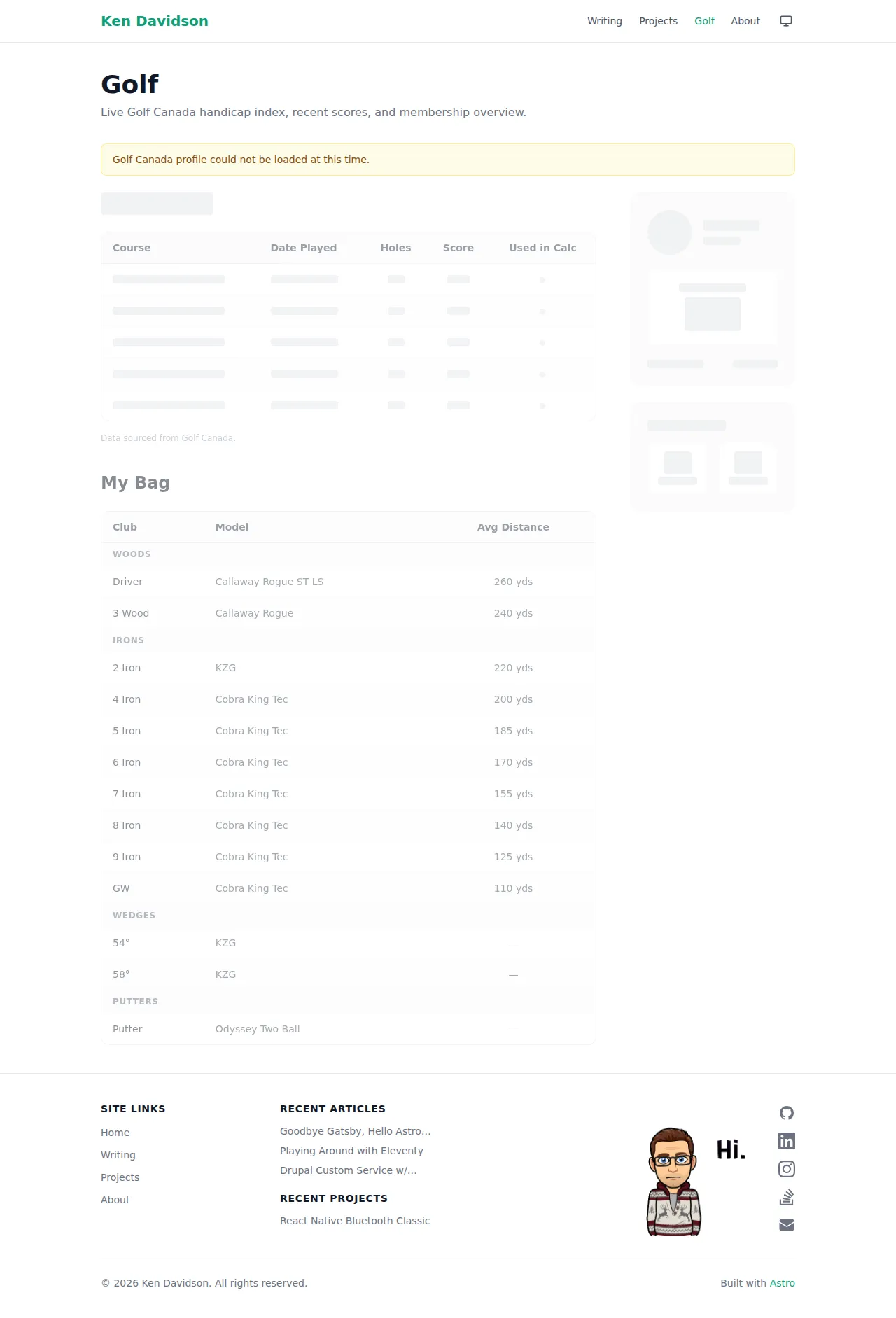
Because it’s all fetched at build time, there’s no client-side auth complexity. The page is just static HTML with the data baked in. If credentials aren’t available (local dev, PR builds from forks), the page renders a skeleton UI with a “profile couldn’t be loaded” notice rather than a developer-facing error message exposing env var names.
The secrets fix (PR #103) was a bit embarrassing in retrospect — the Golf Canada credentials were added as GitHub Secrets but nobody mapped them into the build step’s env: block, so they were never actually available during npm run build. One YAML block fixed it:
- name: Build Site
  run: npm run build
  env:
    GOLFCANADA_USERNAME: ${{ secrets.GOLFCANADA_USERNAME }}
    GOLFCANADA_PASSWORD: ${{ secrets.GOLFCANADA_PASSWORD }}
The golf page also got a “My Bag” section (PR #105) sourced from a static JSON file, which lists clubs by type with average distances. That data doesn’t change often enough to warrant an API call, so a src/data/golf-bag.json file is exactly the right level of complexity.
What I Learned
This wasn’t just a tech migration — it was also an experiment in what GitHub Copilot as an agent is actually capable of for a real-world project.
The short version: it’s genuinely useful, and genuinely imperfect.
The things it did well:
- Scaffolding the entire Astro project from scratch with correct configuration
- Content collection schemas and type safety
- Component implementation from a text description
- Diagnosing deployment issues (even if it took two attempts)
- Responsive layout with Tailwind from rough column descriptions
- Catching and fixing its own issues when pointed in the right direction
The things that needed more iterations:
- Design feedback needs screenshots (and sometimes you need to ask for them)
- “Deploy to GitHub Pages” has too many valid configurations — you need to be specific about which one
- Secrets not being passed through to the build step is the kind of thing that’s obvious in retrospect and invisible until it isn’t working
- Golf Canada profile fallback was showing internal build details to end users (env var names, npm run build commands) — that needed a separate PR to fix
Would I do it again? Yeah, I would. The total time to go from a broken Gatsby build to a fully working Astro site with a new design, the golf page, the FAB, and the footer was a matter of days rather than the weeks I would have spent doing it manually. And I didn’t have to fight with GraphQL even once.
That’s a win.